PESCO supplies electricity to most of Khyber Pakhtunkhwa, including Peshawar, Mardan, Charsadda, Nowshera, Swabi, Kohat, Bannu, D.I. Khan and Swat. If your paper bill is late or lost, you can view the official PESCO bill online in a minute using your reference number.
Note: Hazara division (Abbottabad, Mansehra, Haripur and nearby districts) is now served by HAZECO, and the merged tribal districts by TESCO. If your area moved to one of these companies, select that company instead.
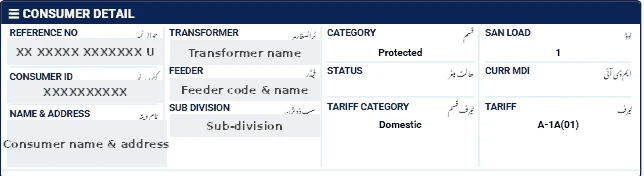
Your reference number
Printed at the top of every PESCO bill — 14 digits. Enter only the digits.
Steps
- Open our bill checker and select PESCO.
- Enter your 14-digit reference number.
- Click Check Official Bill to open the official PITC PESCO page.
- View, print or save the bill as PDF.
Checking the bill carefully
- Compare the present reading with your meter.
- Look for detection or average units — ask the sub-division for the basis if you see them.
- Confirm that previous payments are not shown as arrears.
- Check your tariff and sanctioned load.
If the PESCO bill does not open
- Enter exactly 14 digits, without spaces or the final letter.
- Make sure PESCO is selected; a reference number works only on its own company's page.
- The official portal can be slow near due dates — try again after a few minutes.
- New connections appear only after the first bill is issued.
Ways to pay the bill
- Mobile banking and internet banking apps of most Pakistani banks (look under "Utility Bills" → "Electricity").
- Mobile wallets such as JazzCash and Easypaisa.
- Bank branches and post offices before the due date.
Keep the payment confirmation until the next bill shows the amount as paid.
PESCO complaints
Call 118 to report faults. For bill corrections, visit the sub-division office with the bill, CNIC copy and a dated meter photo, and submit a written application. See our PESCO bill calculation guide for an explanation of each charge.